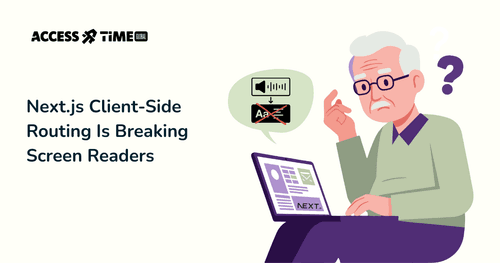
Next.js Client-Side Routing Is Breaking Screen Readers
Bogdan Sikora - Founder & CTO
●●
Next.js's Silent Navigation Problem: Why Client-Side Routing is Failing Screen Reader Users
Introduction: The Invisible Problem
Imagine clicking a link and nothing happens. No announcement. No feedback. Nothing… Did it work? Did something happen? What changed? You might have encountered a similar scenario here and there occasionally and I am sure it was quite a frustrating experience. What if I told you that this is everyday reality for screen reader users?
This isn't an edge case or a minor inconvenience.
This is happening in virtually every modern client-side application right now, affecting millions of users worldwide.
The good news? It's surprisingly easy to fix once you understand what's broken.
In this guide, we’ll walk through: • how screen readers interpret page navigation • why traditional websites handled this automatically • what client-side routing unintentionally disrupts • and most importantly, the practical techniques you can apply right now
We’ll also include real screen reader behavior examples and simple ways for you to test the flow yourself. So you can confirm, fix, and confidently ship accessible navigation in your app.
Screen Reader Basics: How Announcements Work
Screen readers are amazing pieces of software with a surprisingly simple concept, though it's often misunderstood. A screen reader focuses on elements on a page and reads them aloud to the user. Users can move the focus and essentially narrate the entire website. Simple, right? In essence, it is.
The complexity arises when something cannot be read properly. Images, for example, cannot be narrated directly—you as a developer must provide alt text (article link). Interactive elements like buttons or links need proper semantic markup to announce their purpose and behavior (link if we have an article about semantics). Without these, screen readers fall silent or provide confusing information.
But there's another critical moment where screen readers need information: navigation.
When a user clicks a link on a website, and something changes on the screen without a full reload (more on that later), the user is left in the dark about whether anything happened at all.
The Escape Room Analogy
Think of the screen reader experience like being in an escape room. You're blindfolded, and your partner is your eyes, guiding you through the space. You take a step forward and hear: "You're now in front of a wooden table." Your partner continues: "On the table there's a red button and a small key." You reach out, feel the button, and your partner confirms: "Yes, that's the button—it feels slightly raised."
You press it. 'Click'.
Something in the room changes—maybe a drawer opens across the room, or a light turns on. But do you know that? You wait for your partner to tell you what happened. But all you hear is silence.
That's exactly what happens with client-side routing. The "room" changes—new content loads, the URL updates, the page is different—but the screen reader user hears nothing. No announcement. No confirmation. Just silence.
The Traditional Web: Why It "Just Worked"
You might be wondering and asking, why is it designed this way in the first place? The answer is simple: it's not.
Traditionally, a web page is what we call server-side rendered or served. Without going into too many technical details, here's how it works:
Your browser (Firefox, Chrome, Safari, …) sends a request to a server. The server, based on that request, finds what you're looking for and returns an HTML file. This HTML file is then handled by your browser and rendered into what you see as a website.
Click a link, and the cycle repeats. New request. New HTML. New page. Simple.
When you click a link on that website, it sends another request to the server, which gets handled and returned to the browser. The browser then renders the new page, and the cycle continues.
This is the way the web was designed, and it's a way screen readers handle with no problem. Why? Because every time a new page is rendered, the browser signals a page load event, and the screen reader automatically announces the new page—typically reading the page title and main heading. The userUser gets feedback. Everyone's happy.
Enter Client-Side Routing
So why are so many of us moving away from the traditional server-side approach? The answer is complicated, but it mainly comes down to interactivity and snappiness.
You see, if I have to send a request every time you want to move to another page, there's a wait time while the browser and server communicate. The way we've tried to improve this is to move the responsibility to the browser. We send a request once, and then with some JavaScript magic, we just swap the content around. If we need anything from the server, we call it in the background. This gives us a much smoother experience—no white flashes, no waiting for full page reloads—but not without downsides, as we're discussing here.
This is how React, Vue, Svelte, and other client-side frameworks work. When you navigate, JavaScript intercepts the link click, changes the content in the DOM, and updates the URL—but from the browser's perspective, you never leaveleft the page. No page load event fires.
Visually, the page has moved on. For screen reader users, nothing has. The screen reader has nothing to announce. Navigation happens in complete silence.
So how do we fix this?
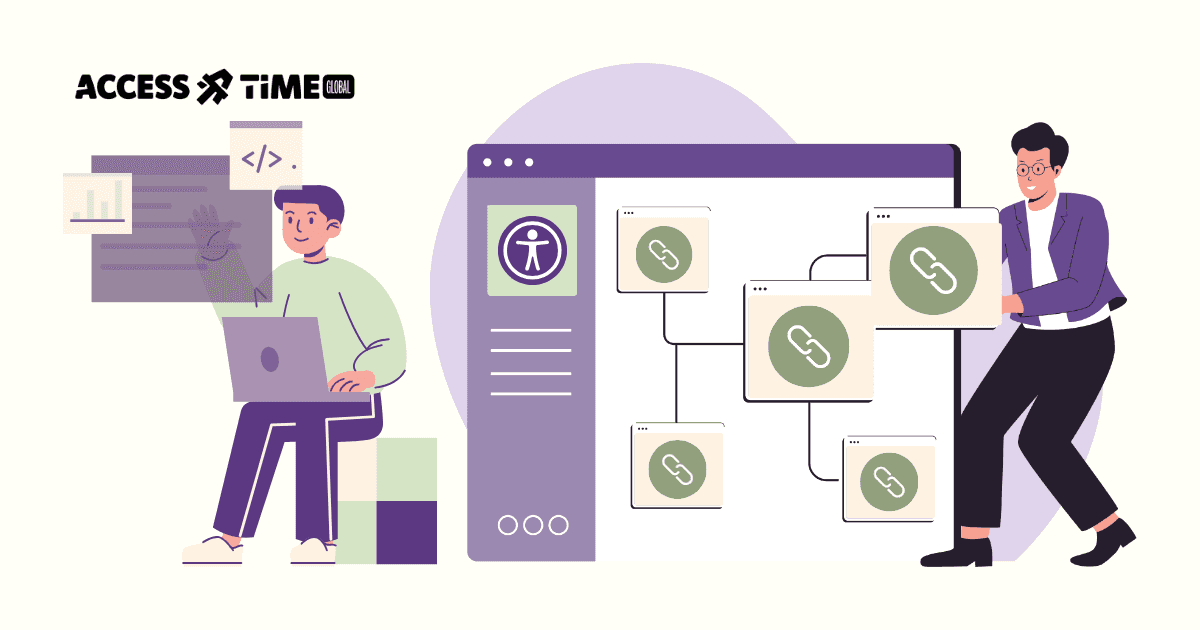
There are two primary approaches: use ARIA live regions to broadcast the page change, or programmatically move focus to important content like the main heading.
We won't dive into those techniques here, but reach out if you'd like me to cover them in a future article.
The Hybrid Approach: Next.js, Nuxt, and the Best (and Worst) of Both Worlds
Since Next.js is what a huge chunk of you are probably building with, we'll use it as our main reference point throughout this research.
Now, you might be thinking: "But I use Next.js, and that's server-side rendered, right?" And you'd be partially correct.
- First load of a Next.js/Nuxt/SvelteKit site arrives as fully rendered HTML from the server.
- Browser triggers a real page load event, so screen readers announce the title and main heading.
- The user clicks an internal link.
- The client-side router intercepts the click and swaps content without a full page reload.
- Visually, it feels fast and seamless—but technically the browser thinks you never left the page.
- No new page load event means no automatic announcement from screen readers.
- Titles aren’t read, headings aren’t announced, and focus doesn’t shift to new content.
- The page changes, but assistive tech stays silent, causing confusion for users.
Modern frameworks like Next.js, Nuxt, SvelteKit, and others use a hybrid approach.
The first page load
is server-side rendered—you get all the SEO benefits and fast initial load times. But here's the catch:
subsequent navigation uses client-side routing
. Click a link after that initial load, and you're back in client-side land. No page reload. No announcement. The same problem.
But worry not—the people behind these frameworks are actually smart and have addressed this issue, each in their own way. Next.js, for example, uses the
<Link>
component which is supposed to handle focus management and announcements. Nuxt has similar built-in mechanisms. SvelteKit has its own approach to accessibility during navigation.
So... problem solved, right?
Not quite. While these frameworks have attempted to solve this, each in their own way to fit their infrastructure, you still need to know how it should work and how your framework of choice is handling it so you can verify and fix it if needed. You need to understand what's happening under the hood and test that it's actually providing the feedback your users need.
Let's look at real screen reader transcriptions to see how different frameworks and screen readers actually behave, so you can understand what's working (or not working) in your application.
Real-World Impact: Screen Reader Transcriptions
Let's look at multiple scenarios with simplified screen reader transcriptions. We'll focus on Next.js in this article as it's my framework of choice and one of the most popular options out there. If this article resonates and there's enough interest, I may expand this into a series covering other frameworks like React, Vue, Nuxt, and SvelteKit in future articles.
Test Setup:
- Simple multi-page application with Home, About, and Contact pages
- Standard navigation using framework-recommended components
- Programmatic navigation using the framework's methods (e.g., router.push())
- Page with H1 heading and without
- Page with updated metadata title and without
- Page with main landmark and without
- Tests conducted across NVDA (Windows), VoiceOver (macOS, iOS), TalkBack (Android)
Pages
- Alpha
Perfect accessibility structure with
<main>landmark,<h1>heading, and unique page title - Beta
Slightly broken — has
<main>landmark and unique title, but heading hierarchy starts at<h2>instead of<h1> - Gamma
Broken structure — uses
<div>instead of<main>landmark, has no headings, but retains a unique page title. - Delta
Completely broken — no
<main>landmark, no headings, and a stale/incorrect page title.
Summary: What the Tests Reveal
So here's what the tests told us. Good old HTML native navigation just works. It's consistent, predictable, and gives users clear feedback—they're informed right away that a new page is loading, where they are, and that they've arrived.
React client-side routing? That's where things get tough
. With macOS VoiceOver, users get complete silence after clicking a link—no announcement, no indication that anything happened. iOS VoiceOver fares slightly better with some announcements, but focus drops in bizarre places (like the last item in a random list, or worse, the iOS status bar). TalkBack's behaviour was inconsistent—sometimes it announced the page title, sometimes it read the entire page content. You're basically rolling the dice on what your users will experience. NVDA was actually a nice surprise here: it reliably announced title changes for the well-structured cases, though the Delta case (with no title update) fell silent.
NextJS sits somewhere in the middle
. It generally announces page titles, which is a win, but focus management is still problematic. On NVDA, focus kept landing somewhere behind the last element, creating confusion for users trying to orient themselves. And when the underlying implementation is poor (our Delta case with no proper title updates), even NextJS can't save you.
So what does this tell us?
When we follow the fundamentals—proper titles, landmarks, headings—the frameworks can help smooth over some issues. But they're limited, as our Delta case shows.
It's encouraging to see the NextJS team has looked into this and provided some feedback for screen reader users. It's not ideal, and you should probably handle focus yourself for optimal user experience, but it's far better than what pure React Router delivers out of the box.
Try It Yourself: Testing Your Own Application
Nothing beats hands-on experience. We've built a demo you can explore, but don't stop there—the most valuable thing you can do is test your own application. Grab a screen reader, click through your navigation, and listen. You'll learn more in ten minutes of real testing than any article can teach you.
Demo Application & Resources
- https://a11y-demo-navigation.vercel.app/
- https://github.com/Access-Time/a11y-demo-navigation
- https://nextjs.org/docs/architecture/accessibility
Screen reader official guides
- https://support.apple.com/guide/voiceover/welcome/mac
- https://download.nvaccess.org/documentation/userGuide.html
- https://support.google.com/accessibility/android/answer/6283677?hl=en
- https://support.apple.com/guide/iphone/turn-on-and-practice-voiceover-iph3e2e415f/ios
Need Help Making Your Application Accessible?
We help teams build accessible navigation in Next.js and modern frameworks—proper focus, clear announcements, real user feedback. Contact our expert to start the project.
Contact Us
Ready to explore how accessibility can transform your products? Visit our contact page to learn more about AccessTime consultancy services, or try Access Lens to get started with a fresh perspective on what's possible.
Share: